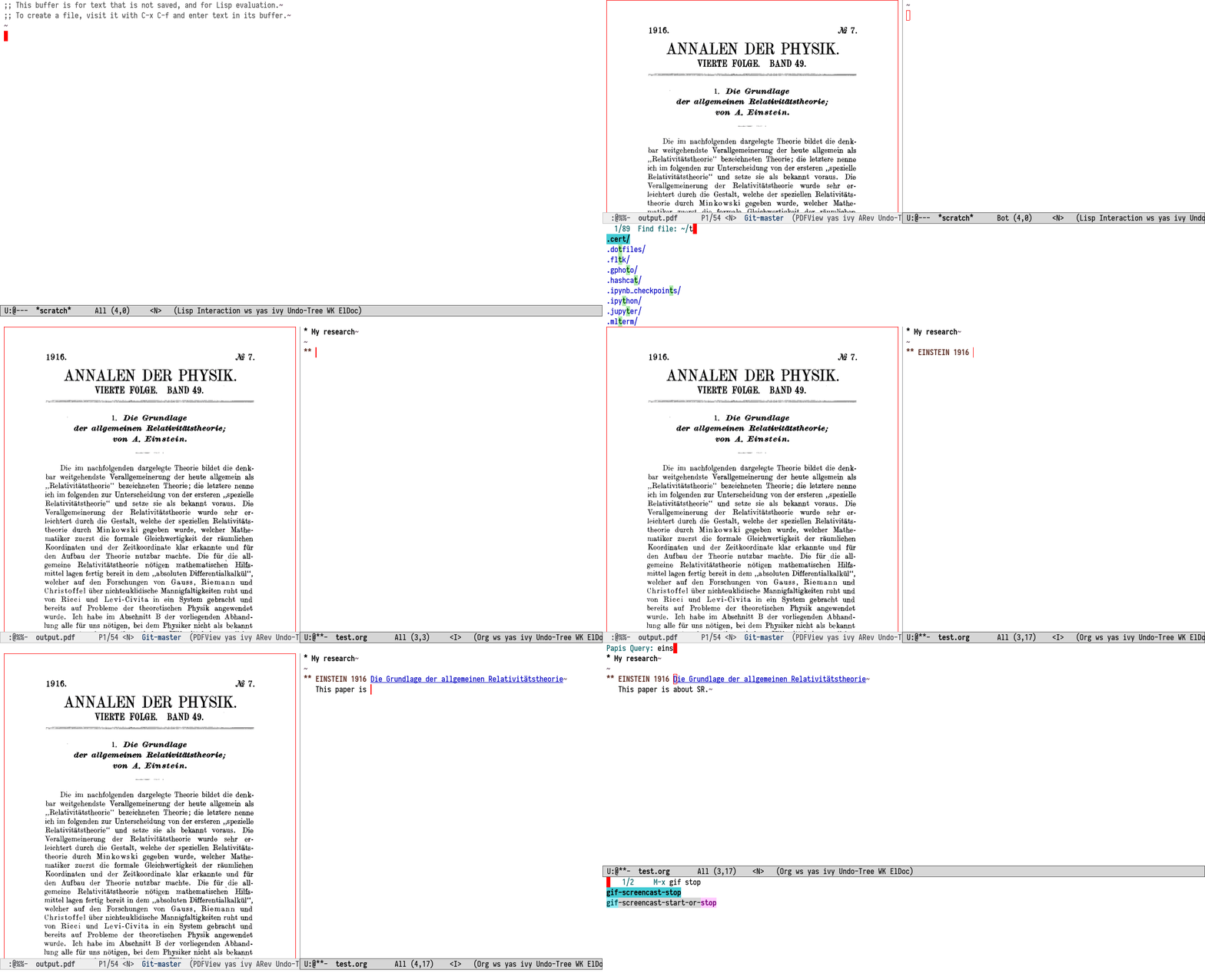
The main motivation of this package is to use Papis libraries within
the well-established bibliographic ecosystem in Emacs. In particular,
the aim is to integrate Papis with org-cite (distributed with Emacs)
and Citar. =org-ref= compatibility is partial; contributions
welcome. papis.el should also work well with the modern completion
stack (vertico, orderless, etc.).
There are in fact two packages:
papisimplements most of the functionality, defines the customization variables and provides user-facing commands.papis-citarprovides compatibility withcitar.
Releasing the package on MELPA will make installation easier for users.
Add something like this to your nix configuration for emacs:
{
  pkgs ? import <nixpkgs> {},
  papis-el-src ? pkgs.fetchFromGithub {
    owner = "papis";
    repo = "papis.el";
    rev = "master";
    hash = ""; # Set this to the hash given by nix
  },
}:
let
  my-emacs-pkg = with pkgs;
    emacsPackages.withPackages (emacsPackages:
      let
        papis-el = callPackage "${papis-el-src}/papis.nix" {
          inherit pkgs emacsPackages;
        };
        papis-citar-el = callPackage "${papis-el-src}/papis-citar.nix" {
          inherit pkgs emacsPackages papis-el;
        };
      in [ papis-el papis-citar-el
           # ... your other emacs packages
         ]);
in

# This line lets you use emacs with papis in a nix-shell:
pkgs.mkShell { buildInputs = [ my-emacs-pkg ]; }

# Otherwise, use the emacs package in your configuration:
#   environment.systemPackages = [ my-emacs-pkg ];
# Or use the emacs service:
#   services.emacs = { enable = true; package = my-emacs-pkg; };
Note: Also add Papis to your system packages.
Here’s a basic configuration for your .emacs / init.el:
(use-package papis
  :bind-keymap ("C-c p" . papis-command-map)
  :config
  (setq
   papis-export-bibtex-file
   (make-temp-file "example-lib" nil ".bib") ; Or path of your choice
   ;; The bibtex file is for org-cite and citar.
   org-cite-global-bibliography (list papis-export-bibtex-file)
   citar-bibliography (list papis-export-bibtex-file))
  (papis-export-bibtex) ; Export the bibtex to the new temp file.
  ;; Consider reusing the same bibfile instead, to speed up loading.
  )

(use-package papis-citar
  :after citar
  :config (papis-citar-setup))
See the ~defcustom~s in ./papis.el for more configuration options:
- papis-program
- papis-library
- papis-extra-options
- papis-export-bibtex-file
- papis-skip-program-check
- papis-completion-format-function
- papis-after-open-note-functions
Some parts of the current org-cite and Citar integrations rely on
having the bibliographic data available in a .bib file. We make this
easier with the papis-export-bibtex command (bound to C-c p x in
the basic configuration), which exports your Papis library to the file
path set in the variable papis-export-bibtex-file.
Add this file to the list org-cite-global-bibliography for
org-cite, and to the list citar-bibliography for Citar.
To insert a citation from your Papis library, you can either:
- Use
org-cite-insert(usually bound toC-c C-x @), with theorg-cite’s'basicinsert processor. - Use the same command, but set
org-citeinsert processor to'citar. - Use
citar-insert-citation.
The first option requires the org-cite to access the exported
bibtex.
Use papis-browse (C-c p b, for links), papis-notes (C-c p n,
for notes), or papis-open (C-c p o, for attached files). Citar
has comparable commands, but the Papis commands will suggest a
contextually appropriate default: the document cited at point or, when
inside a document’s directory, that document.
Another way to open a link, note or file related to the citation at
point is to type C-c C-o (org-open-at-point), using the 'citar
follow processor for org-cite.
When calling papis-notes, notes are automatically created in the the
Papis document’s folder with the name and template from your Papis
configuration. For example, insert the following lines to your Papis
config:
notes-name = notes.org
notes-template = ./notes-template.org
…and include the following template at the configured path:
#+TITLE: Notes about "{doc[title]}"

TODO [cite:@{doc[ref]}].

#+print_bibliography:
You can also add functions to the variable
papis-after-open-note-functions, which is an “abnormal” hook,
because it takes arguments:
DOC: Thepapis-notesfunction passes in a hashtable containing the document’s metadata. The Citar integration doesn’t have it on hand, but your hook can obtain it easily withpapis--query-documentsand the note’s directory.NEW: This boolean indicates that the note has just been created, and thus provides an alternative way to fill a template for a new note.
The default papis-after-open-note-functions jumps to the first
TODO iff there is one.
The command papis-edit (C-c p e) opens the info.yaml file and
enters the papis-edit-mode, which simply binds papis-cache-update
to C-c C-c.
The command papis-cache-update (C-c p u) makes Papis update its
database, which caches the metadata from a library’s file
hierarchy. Consider also running papis-export-bibtex to make changes
visible to the org-cite export processors.
The papis-add command (C-c p a) allows you to run papis add
directly from emacs (using term-mode), and fills-in the url at
point, if there is one.
papis.el sets up a type of org-mode link for Papis documents that
references documents by ID.
org-noter compatibility
We have found that papis works quite well with org-noter
since like Papis, it looks for notes in the same directory as the
annotated document.
When opening a pdf file of a papis document you can just type
M-x org-noter and if there is notes.org file in there
then org-noter will open a session for you.
Of course your notes file should be an org file, which you can do by
setting notes-name equal to notes.org in your papis configuration.
Set the note file name for org-noter in
org-noter-default-notes-file-names to match.
You can adjust the note template so that it contains a heading with
the NOTER_DOCUMENT property set to the document’s filename (see
below). This makes it possible to open org-noter from the notes file
as well.
#+TITLE: Notes about "{doc[title]}"

* Notes
:PROPERTIES:
:NOTER_DOCUMENT: {doc[ref]}.pdf
:END:

TODO [cite:@{doc[ref]}].

#+print_bibliography:
org-transclusion compatibility
You can put this into your configuration file in order to let org-transclusion
know about papis:
(require 'cl-lib)
(defun papis-org-transclusion-add-papis-id (link plist)
  (when (string= "papis" (org-element-property :type link))
    (let* ((id (org-element-property :path link))
           (query (format "papis_id:%s" id))
           (notes-path (papis--ensured-notes-path query))
           (new-link (with-temp-buffer
                       (insert "file:")
                       (insert notes-path)
                       (beginning-of-buffer)
                       (org-element-link-parser))))
      (org-transclusion-add-org-file new-link plist))))
(cl-pushnew 'papis-org-transclusion-add-papis-id
            org-transclusion-add-functions)
Then, you can transclude multiple notes to a single Org file with something like:
* Important papers
#+transclude: [[papis:d27eac97f9dab8e63d1ceeddc41bb8ff][This and that paper]] :expand-links
#+transclude: [[papis:0858c8b2885089446f1647ad9bb80a41][A fifth-order perturbation comparison of electron correlation theories]] :expand-links
And to add these kind of lines you can use this function:
(defun papis-transclusion-insert (doc)
  (interactive (list (papis--read-doc)))
  (insert "#+transclude: [[papis:")
  (insert (papis--doc-id doc))
  (insert "][")
  (insert (papis--doc-get doc "title"))
  (insert "]]")
  (insert " :expand-links")
(org-transclusion-add))When doing research, often you would like to create some notes on every paper and write some sections with the section titles being links to the papers with some properties so that you can use org-mode’s colum mode.
You can add a function like the following to your configuration, to create a heading with a link and properties:
(defun papis-org-insert-heading (doc)
  (interactive (list (papis--read-doc)))
  (let ((title (papis--doc-get doc "title"))
        (author (papis--doc-get doc "author"))
        (year (papis--doc-get doc "year"))
        (doi (papis--doc-get doc "doi"))
        (papis-id (papis--doc-id doc)))
    (org-insert-heading)
    (insert (format "[[papis:%s][%s]]" papis-id title))
    (org-set-property "PAPIS_ID" papis-id)
    (org-set-property "AUTHOR" author)
    (org-set-property "TITLE" title)
    (org-set-property "YEAR" (format "%s" year))
    (org-set-property "DOI" doi)))
A recommendation can be to write as the COLUMNS
variable and the PROPERTIES like so:
#+COLUMNS: %7TODO %5YEAR %10AUTHOR %45TITLE %TAGS
#+PROPERTIES: TITLE AUTHOR YEAR
and then you can turn on the org-columns mode.
org-ref can open the pdf of a publicaction
from the cite:my-reference link, but in the case of papis
this pdf lives in an isolated folder of its own.
However in org-ref you can customize how you get the pdf
from the cite link through the
elisp:org-ref-get-pdf-filename-function.
Therefore, in order to use papis to open the pdf of the referenced
documents you can set:
(setq org-ref-get-pdf-filename-function
#'papis-org-ref-get-pdf-filename)Use papis-extract-citations-into-dblock to insert a
papis-bibtex-refs dynamic block. This block can be dynamically
updated with the same function or org-dblock-update (C-c C-x C-u)
to list the bibtex code for all the citations in the buffer.
This repository contains an example library that is used for tests, along with its Papis configuration.
Tests for both packages can be run in emacs (see the source files), or using nix:
nix-build ./papis.nix -A testsnix-build ./papis-citar.nix -A tests