See the Base16 repository for more information.
This theme was built with Base16 Builder PHP.
Supports graphical Vim and console Vim.
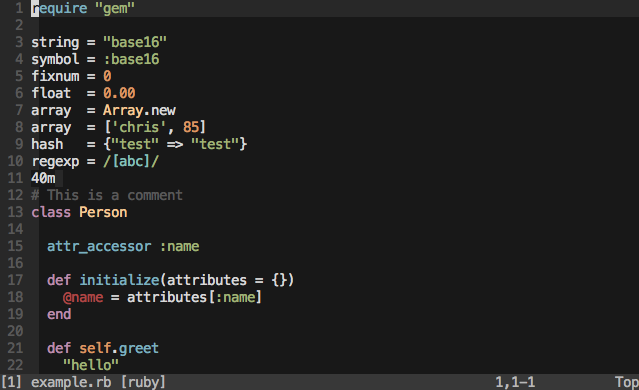
For terminal Vim (non-gui) please ensure you are using a base16 terminal theme.
Add colorscheme base16-default-dark to your ~/.vimrc.
Add the following to your ~/.vimrc file and run PluginInstall in Vim.
Plugin 'chriskempson/base16-vim'
Add the following to your ~/.vimrc file and run PlugInstall in Vim.
Plug 'chriskempson/base16-vim'
cd ~/.vim/bundle
git clone https://github.com/chriskempson/base16-vim.git
cd ~/.vim/colors
git clone git://github.com/chriskempson/base16-vim.git base16
cp base16/colors/*.vim .
If using a Base16 terminal theme designed to keep the 16 ANSI colors intact (a "256" variation) and have sucessfully modified your 256 colorspace with base16-shell you'll need to add the following to your ~/.vimrc before the colorsheme declaration.
let base16colorspace=256 " Access colors present in 256 colorspace
This will cause vim to access the colours in the modified 256 colorspace. Please do not enable this simply because you have a 256 color terminal as this will cause colors to be displayed incorrectly.
There is a script to help troubleshoot colour issues called colortest available in the Base16 Shell repository.
If you are using a ISO-8613-3 compatible terminal (
vim docs,
neovim docs), and
you see a green or blue line, try to enable termguicolors:
set termguicolors