Important
✨ Welcome to visit the GenMentor website to learn more about our work!
This is official code of our paper "LLM-powered Multi-agent Framework for Goal-oriented Learning in Intelligent Tutoring System", accepted by WWW 2025 (Industry Track) as an Oral Presentation.
In this paper, we propose GenMentor, a large language model (LLM)-powered multi-agent framework designed for goal-oriented learning in Intelligent Tutoring Systems (ITS). This framework emphasizes personalization, adaptive learning, and goal-aligned content delivery, making it a robust solution for professional and lifelong learning scenarios.
| Paradigm | Typical characteristics | Primary focus |
|---|---|---|
| 🏫 Traditional MOOC | Static syllabus; pre-recorded lectures; fragmented learning | Broad access, low personalization |
| 🤖 Chatbot ITS | Reactive Q&A; rule/LLM-driven; session-based help | Instant support, limited long-term adaptation |
| 🎯 Goal-oriented ITS | Proactive planning; personalized paths; goal-aligned assessments | Targeted skill acquisition, continual adaptation |
🤖 Key Agent Modules
- 🧭
Skill Gap Identifier: Analyzes learner's current knowledge to identify gaps. - 👤
Adaptive Learner Modeler: Builds and updates learner profiles based on interactions. - 🗓️
Learning Path Scheduler: Creates personalized learning paths and schedules. - 📝
Tailored Content Generator: Produces customized learning materials and assessments. - 🧑🏫
AI Chatbot Tutor: Engages learners in dialogue, answering questions and providing support.
Key Demo Interfaces
Here, we briefly describe how to set up and run the GenMentor system locally. Please see more details in the respective backend/ and frontend/ directories.
- Backend environment setup
cd backend
uv venv
source .venv/bin/activate  # on Windows: .venv\Scripts\activate
uv pip install -r requirements.txt- Frontend environment setup
cd frontend
uv venv
source .venv/bin/activate  # on Windows: .venv\Scripts\activate
uv pip install -r requirements.txt- Configure LLM secrets (at least one) for backend
Option A: update a .env file in backend/
# Example for OpenAI:
OPENAI_API_KEY="your-openai-api-key"

# Example for DeepSeek:
DEEPSEEK_API_KEY="your-deepseek-api-key"
Option B: export environment variables in your shell
# Example for OpenAI:
export OPENAI_API_KEY="your-openai-api-key"

# Example for DeepSeek:
export DEEPSEEK_API_KEY="your-deepseek-api-key"
DEEPSEEK_API_KEY="your-deepseek-api-key"- Configure api endpoint for frontend
If you would like to run the backend on a different host/port, please update the API URL in frontend/config.py:
backend_endpoint = "http://127.0.0.1:5000/"Note
The default ports are 5000 for backend, 8501 for frontend by default
Option A: Manual (preferred when using separate venvs)
# start backend
cd backend
source .venv/bin/activate  # on Windows: .venv\Scripts\activate
uvicorn main:app --reload --port 5000
# start frontend
cd frontend
source .venv/bin/activate # on Windows: .venv\Scripts\activate
streamlit run main.py --server.port 8501Option B: Helper scripts (single shell; assumes uvicorn/streamlit on PATH)
# start backend
bash ./scripts/start_backend.sh [PORT]

# start frontend
bash ./scripts/start_frontend.sh [PORT]

# stop all
bash ./scripts/stop_all.shFinally, you can access:
- Backend API: http://127.0.0.1:5000/
- Frontend UI: http://127.0.0.1:8501/
Welcome to explore the demo version of the GenMentor web application:
This interactive demo showcases GenMentor's core functionalities, including:
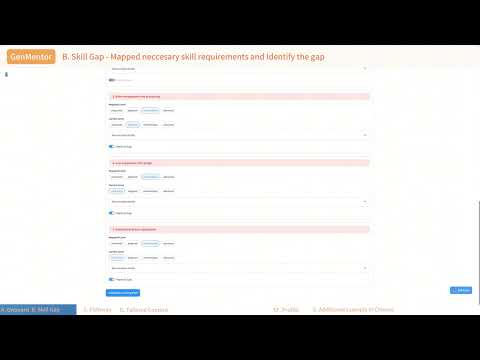
- Skill Gap Identification: Precisely map learner goals to required skills.
- Adaptive Learner Modeling: Capture learner progress and preferences.
- Personalized Content Delivery: Generate tailored learning resources.
You could also watch the demo video for a quick overview (click the image below):
@inproceedings{wang2025llm,
  title={LLM-powered Multi-agent Framework for Goal-oriented Learning in Intelligent Tutoring System},
  author={Wang, Tianfu and Zhan, Yi and Lian, Jianxun and Hu, Zhengyu and Yuan, Nicholas Jing and Zhang, Qi and Xie, Xing and Xiong, Hui},
  booktitle={Companion Proceedings of the ACM Web Conference},
  year={2025}
}