
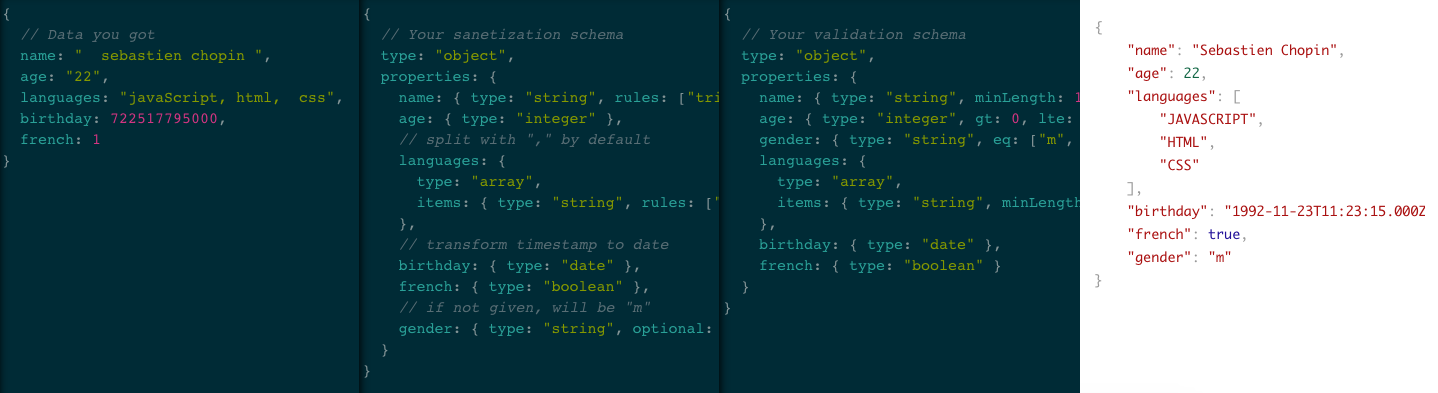
Schema-Inspector is a powerful tool to sanitize and validate JS objects. It's designed to work both client-side and server-side and to be scalable with allowing asynchronous and synchronous calls.
See a live example: http://schema-inspector.github.io/schema-inspector/
npm install schema-inspector
Bower uses have reported success using the library this way, using bower overrides in bower.json.
Bower is not officially-supported as a build tool and references to it will be removed from the repository in versions 3.0.0+.
schema-inspector is not compatable with JSON Schema. They are two different ways to validate data.
However, the main difference is that schema-inspector supports sanitization of data.
To fix a security vulnerability in the 1.x.x email Regex expression used, a new Regex expression was used which may be less flexible than the expression used in 1.x.x. Therefore, version 2.0.0 was released with this new expression. It's highly-recommended to upgrade to this new version after testing it.
If you need the old, insecure behavior, use version 1.x.x or use the custom validation function feature for your field and perform email address validation any way you like.
The email address regular expression was changed again in this version, this time to the new approach towards email address validation that the library will use from now on. For details, see How email address validation works.
var inspector = require('schema-inspector');

// Data that we want to sanitize and validate
var data = {
    firstname: 'sterling  ',
    lastname: '  archer',
    jobs: 'Special agent, cocaine Dealer',
    email: 'NEVER!',
};

// Sanitization Schema
var sanitization = {
    type: 'object',
    properties: {
        firstname: { type: 'string', rules: ['trim', 'title'] },
        lastname: { type: 'string', rules: ['trim', 'title'] },
        jobs: {
            type: 'array',
            splitWith: ',',
            items: { type: 'string', rules: ['trim', 'title'] },
        },
        email: { type: 'string', rules: ['trim', 'lower'] },
    },
};
// Let's update the data
inspector.sanitize(sanitization, data);
/*
data is now:
{
    firstname: 'Sterling',
    lastname: 'Archer',
    jobs: ['Special Agent', 'Cocaine Dealer'],
    email: 'never!'
}
*/

// Validation schema
var validation = {
    type: 'object',
    properties: {
        firstname: { type: 'string', minLength: 1 },
        lastname: { type: 'string', minLength: 1 },
        jobs: {
            type: 'array',
            items: { type: 'string', minLength: 1 },
        },
        email: { type: 'string', pattern: 'email' },
    },
};
var result = inspector.validate(validation, data);
if (!result.valid)
    console.log(result.format());
/*
 Property @.email: must match [email], but is equal to "never!"
*/
Tips: it's recommended to use one schema for the sanitization and another for the validation,
<script type="text/javascript" src="async.js"></script>
<script type="text/javascript" src="schema-inspector.js"></script>
<script type="text/javascript">
    var schema = { /* ... */ };
    var candidate = { /* ... */ };
    SchemaInspector.validate(schema, candidate, function (err, result) {
    if (!result.valid)
        return alert(result.format());
 });
</script>
In the example below, the inspector variable will be used. For the client-side use SchemaInspector instead of inspector.
- type
- optional
- pattern
- minLength, maxLength, exactLength
- lt, lte, gt, gte, eq, ne
- multipleOf
- someKeys
- strict
- exec
- properties
- items
- alias
- error
- code